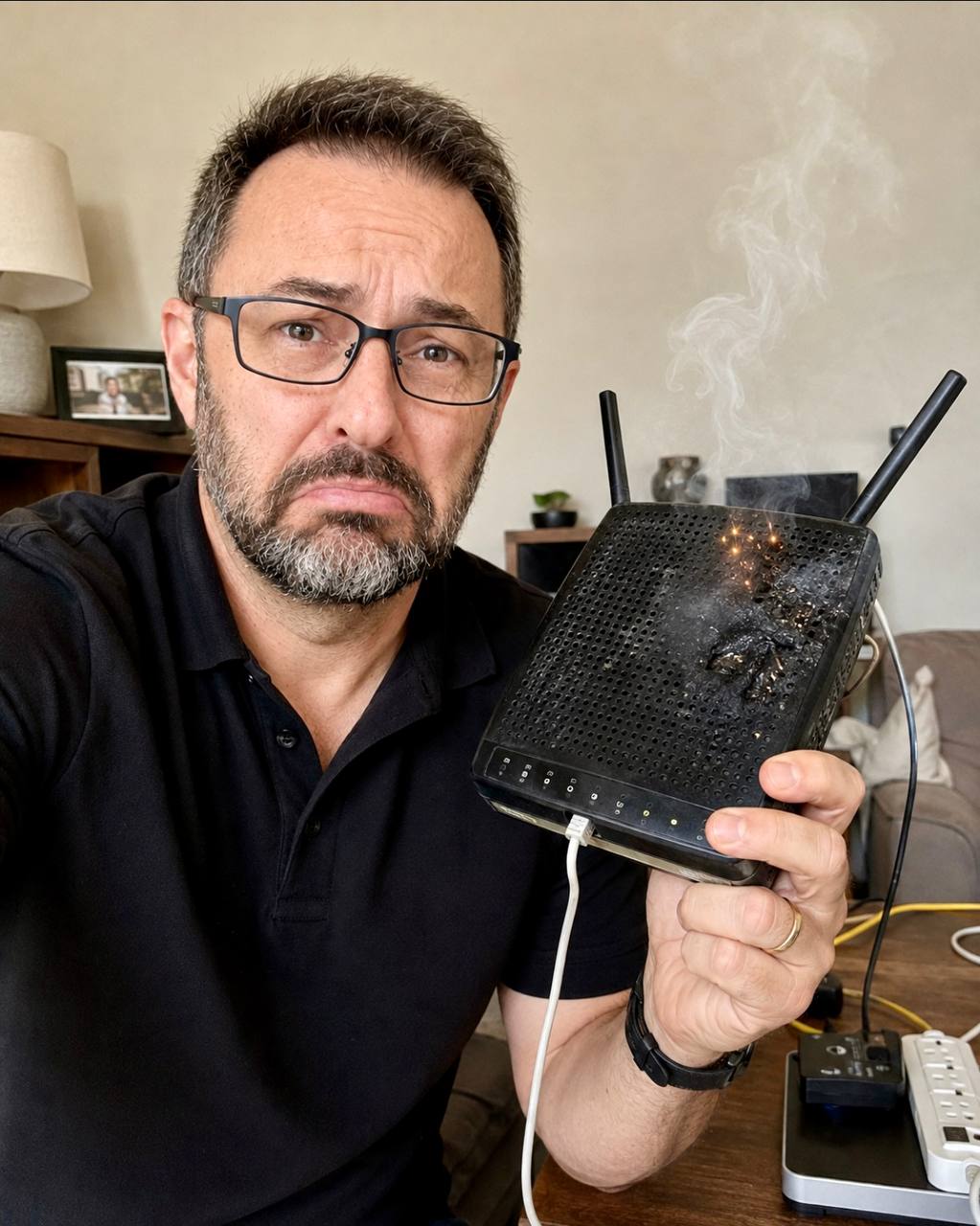
A surge does not have to come through an electrical outlet to damage equipment in your house.
That is the part I think a lot of people never consider.
Look at how many wires leave a modern home and come back inside. Outdoor speaker wire. Lighting in the yard. Gate controls. Pool equipment. Cameras. Internet service. Every project is different, but any conductive connection between indoor equipment and something outside deserves attention.
A surge protector behind the TV or in the equipment rack may be useful. It just does not cover every route into a technology-heavy home. If you have networking, AV, lighting control, security, cameras, gates, pool controls, and outdoor systems, protection needs to be reviewed as a complete system.
That does not mean anybody can promise that lightning will never damage anything. They cannot. The practical goal is to reduce risk, give surge energy appropriate paths, protect the connections that need protection, and keep important systems running through common power interruptions.
Why a rack protector does not cover every exposure
A rack-mounted protector can only act on the connections that actually pass through it. A basic power strip behind a television usually protects the AC power connection at that location. It does not automatically protect a camera cable returning from outside, a gate-control connection, a coax line, an outdoor audio circuit, or another exterior path.
The same issue applies to equipment with more than one connection. A network device may be connected to AC power and to a communications line. A television may have power, coax, Ethernet, and HDMI connections to other equipment. If surge energy reaches one path and the connected system does not rise and fall together, damaging voltage can appear across the equipment.
This is why I do not look at one power strip and call the house protected.
Whole-home protection at the electrical system is an important first layer. Point-of-use protection at a rack or display can be another useful layer. Neither one, by itself, accounts for every wire crossing the home's exterior boundary.
The word "layered" matters here. It means each part has a job, and the parts need to work together.
Layer one: protection at the electrical system
The first place I want reviewed is the home's main electrical system. A properly selected whole-house surge protective device can divert a large surge arriving on the power line and reduce the energy that reaches downstream equipment.
That work belongs with a qualified, licensed electrical professional. Homeowners should not open a service panel or attempt panel work themselves. Product selection, placement, conductor length, grounding, bonding, and the condition of the electrical system all affect the result.
This first layer helps protect more than the technology rack. It is part of the risk reduction for appliances, HVAC controls, televisions, computers, lighting controls, network equipment, and the growing number of electronics spread throughout the home.
It is still not a force field. No surge device can guarantee protection from every event, especially a direct or extreme lightning event. It is one part of a coordinated plan.
Layer two: review every outside-to-inside path
Next, I map the connections that cross between the house and the outside. This is where a lot of smart-home protection plans have a gap.
The list can include:
- Internet, coax, copper communications, and service-provider equipment
- Cameras and door stations mounted outside
- Gate operators, call boxes, and access-control equipment
- Pool controls and connections to detached equipment areas
- Outdoor lighting and audio
- Wiring to a guest house, garage, pavilion, or other detached structure
- Antenna, satellite, irrigation, alarm, or other control circuits when present
I am not saying every wire takes the same protector. It does not. The protection has to match the signal, voltage, circuit design, connector type, grounding and bonding arrangement, and the equipment on both ends. The wrong device can interfere with operation or create a false sense of security.
The internet path is a good example. We first identify whether the provider is delivering fiber, coax, or copper, where the service equipment is located, how it is powered, and how the connection reaches the rack. The answer is based on the actual installation, not the word "internet" on a plan.
For exterior circuits, I also want the electrician, low-voltage integrator, pool contractor, gate contractor, and other involved trades working from the same information. Surge protection is not something one trade should guess at in isolation. Grounding and bonding coordination matter, and the protection points need to be selected around the real pathway.
Layer three: point-of-use and rack protection
Once the electrical service and exterior paths are understood, I look at the equipment itself.
The technology rack may serve the network, control system, video distribution, audio, security, and cameras. A problem there can affect the experience across the entire house. That makes rack-level protection worthwhile, but it needs to be selected for the equipment and the connections actually present.
Displays, computers, office equipment, and other sensitive electronics may also benefit from local protection. The important thing is not to buy the largest strip on the shelf. It is to understand what it protects, what it does not protect, whether it is still serviceable, and how it fits with the upstream layers.
During a review, I also check status indicators, service history, visible damage, and replaceable components where applicable. If the status is unknown, we verify it.
For this work I use products from Total Protection Solutions, both in client systems and at my own house. That is firsthand experience with the equipment. It is not a promise that one brand or device solves every exposure.
Battery backup solves a different problem
Surge protection and battery backup are related, but they handle different problems.
A UPS, or uninterruptible power supply, keeps selected equipment running when voltage sags or utility power disappears. Sometimes the interruption lasts only a moment. Without a battery in between, that can still be long enough to reboot the network, computers, camera recorder, and control equipment.
A generator does not take over at the exact instant utility service fails. First the outage has to be detected; then the generator starts and the load transfers. A properly sized UPS covers that gap for whatever is connected to it.
Sizing is where I see people get tripped up. A UPS has a limit on both load and runtime. We review which devices are truly important, how much power they draw, how long they should stay online, and what should happen during an extended outage. Some systems need an orderly shutdown. Others only need enough time to ride through a flicker or generator transition.
Not every load belongs on a battery. Motors, large appliances, HVAC equipment, and other heavy loads need to be handled as part of the broader electrical and generator plan. The UPS review is usually about the smaller critical technology loads that keep communication, visibility, and control available.
What ETG reviews before making a recommendation
I do not start with a box and try to find somewhere to install it. I start with the home.
For a new custom home or major renovation, ETG reviews the electrical plans, low-voltage plans, exterior technology, service-provider entry, equipment locations, generator plan, and the paths between buildings or outdoor systems. We want to see the exposure before wiring routes and equipment selections are final.
For an existing home, we trace what is there. That often means looking at the electrical system with the licensed electrician, identifying outside wiring, checking how the rack and key devices are powered, and documenting which systems need continuity.
Our review normally covers:
- Main electrical surge protection and coordination with the electrician
- Internet or fiber service entry point and associated equipment
- Every known conductive path between indoor and outdoor systems
- Grounding and bonding questions that need trade coordination
- Protector compatibility with the signal and equipment
- Rack, display, office, network, camera, and control-system protection
- UPS load, desired runtime, battery condition, and shutdown behavior
- Generator start and transfer timing as it affects connected technology
- Labels and documentation so future service does not become guesswork
The result should be a plan that makes sense for the house, not a pile of unrelated protectors.
When to involve ETG
The best time is while the home is still in design, before electrical and low-voltage pathways are finalized. That gives us time to coordinate service locations, exterior circuits, equipment rooms, generator-backed circuits, and protection points with the builder and licensed trades.
If the house is already built, the next best time is before a rack upgrade, network replacement, camera expansion, gate or pool project, generator installation, or major renovation. Those projects expose the wiring paths and create a natural point to correct gaps.
You can also review an existing system simply because nobody has ever mapped it. You do not need to wait for a failure.
Before the review, it helps to gather:
- Electrical and low-voltage plans, if available
- A list of outdoor technology and detached structures
- Photos of the rack, electrical panel exterior, service-provider equipment, and generator or transfer equipment
- UPS model numbers and approximate battery ages
- Notes about systems that reboot, drop offline, or fail during brief outages
- Any planned equipment or construction changes
Do not remove panel covers or open electrical equipment to take pictures. Exterior photos and existing documentation are enough for the first conversation.
Common questions
Does a whole-house surge protector protect everything?
It is an important layer, but not a guarantee and not the complete answer for equipment connected to exterior communications or control wiring. Those other paths need to be identified and reviewed.
Is a UPS still useful if I have a generator?
Yes, for selected technology loads. A properly sized UPS can keep them online during brief outages and during the time it takes the generator to start and transfer the load.
Can I add protection to any low-voltage wire?
Not with a one-size-fits-all device. Protection must be compatible with the circuit, signal, voltage, topology, grounding and bonding, and connected equipment. Have the system reviewed by qualified professionals.
A practical review, not a scare tactic
Nobody builds a smart home because they are excited about surge protection and battery backups. But these are some of the details I care about most. Expensive equipment is not very useful when a power event takes it offline, and a house full of disconnected protection products is not the same as a coordinated plan.
If you have a lot of technology in your home and no clear picture of how it is protected, send ETG a message when you are ready. We can review the real power, wiring, UPS, and generator paths and help you figure out what makes sense, without selling you equipment you do not need.