Sometimes. If the internet connection goes down but the home's local network and control equipment still have power, some lighting, climate, AV, camera, and control functions may keep working. Remote access, cloud services, streaming, voice assistants, and some app features may not.
That answer changes if the local network fails or the house loses power. Homeowners often describe all three problems as "the internet is down," but they are different failures with different fixes.
A smart home should not leave you guessing. Before I recommend a control plan, I want to know which functions stay available during each type of outage, which ones are allowed to pause, and how the homeowner will operate the house until service returns.
Separate the Three Failures Before Diagnosing Anything
The first step is to name what actually stopped.
An internet service outage means the connection from the provider is unavailable. The gateway, switches, wireless access points, and control processors inside the house may still be powered and communicating with one another. The local Wi-Fi network can still exist even when it has no path to the internet.
A local-network failure is different. The provider may be working, but a gateway, switch, access point, cable, configuration, or control processor inside the home has failed. Devices that depend on that local path may stop talking even though the modem or fiber terminal shows an active connection.
A power outage is a third event. If the modem or fiber terminal, gateway, switch, access points, controllers, bridges, recorders, and other required components lose power, neither a good internet connection nor a locally capable device can help until those components are powered again.
The symptom can look identical from the sofa: an app spins, a remote cannot find a device, or a camera view does not load. The underlying cause determines what should still work and which part of the system needs attention.
What Can Keep Working During an Internet Outage
Local control is the key. A device or subsystem that can receive commands inside the home without asking a cloud service may continue to operate when the provider connection is unavailable.
Depending on the products and programming, that may include:
- physical light switches, dimmers, and keypads
- locally processed lighting or shade scenes
- thermostats operated at the wall
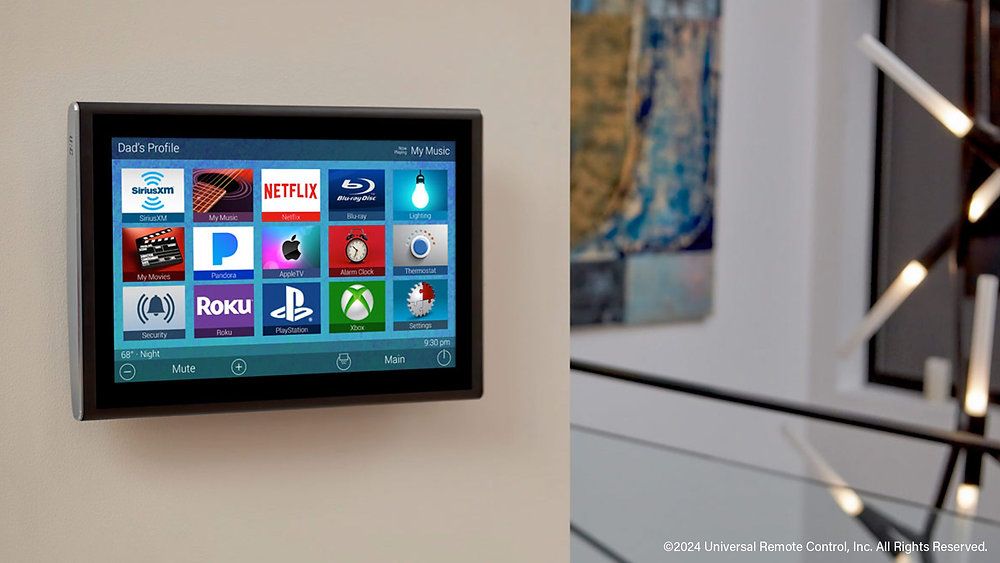
- control interfaces that communicate with a processor over the local network
- local AV control for equipment already inside the home
- cameras recording to a powered recorder or local storage
- door locks, gates, and alarm functions that have a defined local or manual path
The word "may" matters. A wall control can look local while an automation behind it still calls a cloud service. A camera can be powered and visible on the network but save recordings only to the cloud. A mobile app may need an account server even when the phone is connected to the same Wi-Fi.
I do not assume offline behavior from a logo or product category. ETG traces the actual command path and tests the installed system.
What Usually Needs the Internet
Features that reach outside the house normally need a working provider connection. Common examples include:
- viewing or controlling the home while away
- cloud-based voice control
- streaming video, music, and other internet sources
- cloud recording and cloud video history
- push notifications sent through an outside service
- weather, traffic, and other online data used by an automation
- integrations that pass commands through a manufacturer's servers
- vendor support tools that require remote access
These functions do not all fail the same way. A streaming source may stop immediately. A camera with local recording may continue saving video but stop sending alerts. A lighting keypad may work normally while its phone app cannot connect from outside the home.
That is why "works without internet" is too broad to be useful. The better question is what each function needs for local control, remote control, recording, alerts, and recovery.
Map the Full Dependency Chain
ETG starts at the internet or fiber service entry point and follows the path through the house.
The chain may include the provider's modem or fiber terminal, the gateway or router, network switches, wireless access points, control processors, system bridges, camera recorders, audio sources, touchscreens, mobile devices, and the controlled equipment itself. Power is a dependency at every active component.
One missed item can defeat a good backup plan. Keeping the router on a battery does not help a wired camera if the network switch loses power. Backing up the switch does not preserve Wi-Fi if the access points are down. A cellular internet backup does not keep anything online if the gateway and cellular device are not powered.
The review should answer four questions for each system:
- Where does the command begin?
- Which parts of the local network carry it, and does any part of the route leave the house for a cloud service?
- What loses the ability to pass that command if power drops?
- If that path is unavailable, what can the homeowner still operate by hand or through a local control?
This dependency map is more useful than a list of product names. It shows where a failure can interrupt the experience and where a modest change can protect several systems at once.
Review Each System on Its Own
Lighting and shades should keep the common physical controls understandable. If a cloud scene or voice command is unavailable, the family should still know how to turn on important lights and operate the rooms they use every day. ETG checks keypad behavior, local processors, shade controls, and the labels a guest will see.
Climate control needs the same practical review. The homeowner should know what can be adjusted at the thermostat, which schedules are stored locally, and which remote features depend on an outside service. We do not treat a phone app as the only obvious way to operate the house.
AV has several separate dependencies. A television and local source may still turn on while streaming apps fail. A remote may control local equipment but lose cover art, search, or online services. Whole-home audio may retain local-source control while internet radio and streaming are unavailable. ETG tests the functions the homeowner actually uses instead of calling the whole AV system up or down.
Cameras need a recording answer, not just a live-view answer. We check whether recording is local, cloud-based, or both; whether the recorder and storage have power; what happens to alerts; how timestamps recover; and whether saved footage remains available on the local network.
Locks, gates, intercoms, and security systems need clearly documented fallback behavior. A homeowner should know which credential, keypad, physical key, manual release, local panel, or monitored path applies when remote control is unavailable. The right answer depends on the door hardware, gate equipment, alarm provider, and project requirements, so this is coordinated rather than guessed.
Decide What Needs Backup Power
Backup power should begin with the desired outcome. Are we trying to ride through a short interruption, keep the network alive until a generator starts, preserve local camera recording, or maintain an alternate internet connection for a longer outage?
A UPS supports the equipment connected to it for a limited time. Runtime depends on the protected load, the battery, and the condition of the equipment. Adding more devices reduces the available time. ETG reviews the actual modem or fiber terminal, gateway, switches, access points, processors, bridges, and recorders that support the agreed outcome before recommending what belongs on backup.
That plan also needs service access and a replacement path. A battery hidden behind equipment and never checked is not much of a plan. The handoff should identify the UPS, the protected devices, expected behavior, battery-test or replacement responsibility, and what the homeowner should do during an extended outage.
Whole-home generators and electrical circuits are coordinated with the builder and electrician. A network battery is not a substitute for that work. It is one layer that can keep selected electronics stable during a short loss or the transition to another power source.
For a deeper look at power protection, see ETG's guide to whole-home surge protection and backup power.
Plan an Internet Backup Only When It Solves a Real Need
A secondary connection can keep internet-dependent services available when the primary provider is down. It may use a cellular device or another supported connection, depending on the network platform and property.
That does not make every outage invisible. Failover can take time. Available speed and data may differ from the main service. Large downloads, streaming, remote backups, and camera uploads can consume the connection quickly. The alternate path still depends on powered network equipment and a working local configuration.
ETG first identifies which functions genuinely need the backup connection. Remote access, monitored services, business use, and critical communications may justify it. Entertainment traffic may not deserve the same priority. The plan should define what is allowed to use the backup and how the homeowner will know it is active.
The ETG networking service can review that failover path alongside coverage, switching, access points, and the equipment location.
Test Outage Behavior Before Handoff
Specifications do not prove that a finished system fails well. A controlled test does.
ETG begins with the house operating normally. We confirm the common lighting, climate, AV, camera, access, and control functions that the homeowner expects to use. Then, in a planned service window, we isolate the provider connection while leaving the local network powered.
During that test, we check:
- which keypads, switches, remotes, and local interfaces still work
- which mobile controls remain available inside the house
- whether cameras continue recording where local recording is part of the design
- which alerts, voice commands, streaming sources, and remote-access features stop
- whether locks, gates, intercoms, and security functions follow the documented fallback plan
- whether an alternate internet connection starts and which traffic uses it
- how the system reports the outage to the homeowner
After the provider path is restored, we verify recovery. Devices should reconnect in a sensible order. Remote access should return. Camera timestamps, recordings, alerts, and queued events should be checked where applicable. A system that works during the outage but needs an installer every time the internet returns still has a recovery problem.
Power testing is handled separately and in coordination with the appropriate trades. The goal is not to create a dramatic demonstration. It is to prove the agreed behavior without risking equipment, access, safety, or active work in the home.
Give the Homeowner a One-Page Outage Plan
The final handoff should be plain enough to use when something has already gone wrong.
It should identify:
- how to tell an ISP outage from a local-network or power problem
- which lights, thermostats, remotes, cameras, locks, gates, and controls should still work
- which functions are expected to stop
- what equipment is on battery backup
- whether an alternate internet connection exists
- the correct restart order, if the homeowner is expected to perform one
- the internet provider contact and the ETG support contact
- which devices should not be reset or factory-reset without guidance
That last point prevents a common support problem. Repeatedly unplugging equipment or pressing reset buttons can erase the clues that show where the fault started. A short outage plan gives the homeowner a safer first move.
What ETG Checks in a New Build or Existing Home
For new construction, this review belongs before network equipment, control platforms, backup power, and critical device locations are finalized. ETG coordinates the local network, technology closet, wiring paths, processors, recorders, power, and manual controls while changes are still manageable.
For an existing home, we start with an audit. We identify the provider equipment, network hardware, control processors, bridges, cloud accounts, local storage, batteries, and manual controls already in place. Then we run a controlled outage test and document the actual result.
Sometimes the system already has good local behavior and only needs clearer documentation. Sometimes one unprotected switch, a cloud-only device, or an unknown account creates the weak point. The test tells us which situation we are dealing with.
ETG's smart-home automation service covers both new systems and existing homes that need a clearer control and support plan.
What to Send ETG
For a useful first review, send:
- the internet provider and type of service
- the modem, fiber terminal, gateway, router, switch, and access-point models if known
- a list of the lighting, shade, climate, AV, camera, alarm, lock, gate, intercom, and control systems
- photos of the technology closet or equipment locations
- any UPS, generator, or cellular-backup information
- the apps, remotes, keypads, and wall controls the household uses most
- a description of what stopped during the last outage and what kept working
- floor plans and the electrical or low-voltage schedule for a new build
- the contact information for the internet, alarm, gate, and other providers involved
If you want to know what your house will actually do when the internet drops, send ETG the system list or plans. We can trace the dependencies, test the important functions, and tell you what is solid, what relies on the cloud, and what deserves a better fallback.
Frequently Asked Questions
Does Wi-Fi work without internet?
It can. Wi-Fi is the local wireless connection inside the property. The internet is the outside connection supplied by the provider. A powered local network may remain available during a provider outage, but devices and apps that depend on cloud services can still stop.
Will my smart lights work if the internet is down?
They may if the switches, keypads, processor, and commands operate locally and still have power. Cloud scenes, voice control, and away-from-home access may behave differently. Confirm the actual products and test the installed programming.
Will security cameras keep recording?
It depends on where recordings are stored and which equipment has power. A system with powered local recording may continue saving video during an internet outage. A cloud-only camera may lose recording, alerts, or remote viewing. Check each camera system separately.
Does cellular backup keep the entire smart home working?
Not by itself. Cellular backup provides another internet path. The gateway, network equipment, controllers, and the cellular device still need power and a working configuration. The available speed and data also affect which services should use it.
Can one UPS run the whole smart-home system?
Usually a UPS is selected for specific equipment and a defined runtime, not assumed to support the entire house. The correct size depends on the connected load, required operating time, battery condition, and whether a generator or another power source is part of the plan.